Six months ago, building a visualy accurate photorealistic 3D environment for a client pitch meant weeks of modelling, texturing, and rendering. Today, it can take an afternoon. That's what happens when Gaussian splat capture, AI world generation, and traditional production pipelines suddenly stop being separate entities and start becoming a single workflow ripe for adoption.
We've had photogrammetry for capturing scenes and game engines for rendering them into high-fidelity worlds for years but these tools often lived in big-budget film VFX and AAA game studios. Now, for the first time, we're seeing reality capture and generative world-building merge into workflows that align with creative agency timelines and budgets to provide similar outputs.
And the implications stretch far beyond Hollywood VFX studios or tech demos.
This is the start of rapid and democratised world-building that scales.
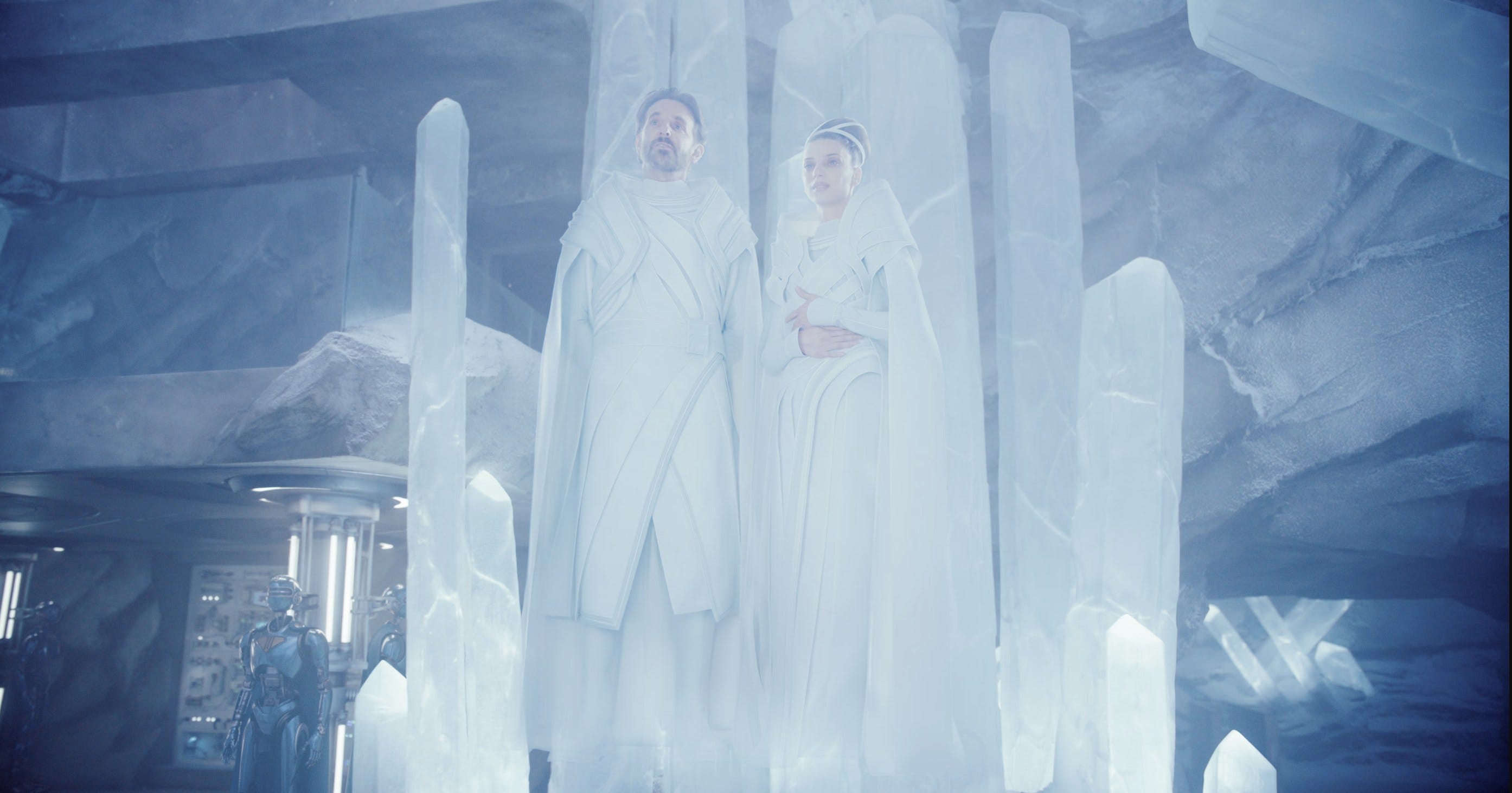
4D Gaussian splat used to create a hologram in James Gunn’s 2025 Superman movie
Real Problem: Worlds Are Expensive
Its unlikely many in an immersive creative agency would wake up excited about Gaussian splats, until recently that is. I did, but it was rare that I found anyone who shared my excitement. They wake up worried about budgets, timelines, client expectations, and how to make something feel genuinely new without burning out their teams and the project margin.
Immersive installation, XR stage and AR/VR content creation workflows all have three persistent constraints:
Worlds take ages to build. Traditional digital content creation tools and game-engine pipelines can burn weeks just to get one hero environment to a client-ready state.
Budgets get eaten by environment work. Modelling, texturing, lighting, optimisation; great craft discovering the right look and feel, but it leaves less money for interaction, narrative, and inevitable iterations.
Change requests hurt. A location change, content update, or a new camera path late in the process still feels like starting again and often does in the very real sense of immense immersive canvas resolutions rendering on a farm and then upscaling with AI to the final deliverable spec.
What’s changed in the last six months is that splat-based world-building finally gives us a way to square that circle: high-fidelity, explorable 3D spaces at a fraction of the time and cost of traditional pipelines.
What used to be “this is a whole project” becomes “let’s do a half-day test and see.”
At the end of the day, that’s why this matters. Just as leveraging Gen AI has allowed for maturing of creative direction earlier on so will these new tools make world building a far more iterable element in the concepting stages so direction can be defined sooner.
The Rise of AI World-Builders
A few years ago, turning images into a 3D environment for creative artists to use required photogrammetry or laser scanning pipelines, clean-up passes, modelling, texturing and hours of rendering. Today, tools like World Labs’ Marble can do it from a single image, a handful of photos, or even an old 360 pano in less time that its takes to render a single frame in the traditional way.
Marble can fuse perspectives, rebuild spaces, merge worlds, edit layouts, and export splats straight into production tools. What once took days now takes minutes. And once it’s generated, you can edit it with ease: remove a wall, add a hallway, re-skin an entire room, add another room and another and another. It feels less like 3D modelling and more like LEGO.
At the same time, systems like SpAItial’s Echo and Google DeepMinds Genie 3 are generating geometry-grounded worlds at scale that render in-browser on modest hardware. The shift, as SpAItial describe it, is “from generating pixels and tokens to generating spaces.”
The Current Landscape
What that means is: you can now describe a world in a sentence, upload a single reference image, add depth to 2D media or rough out a spatial layout and get back something you can walk through, not just look at.
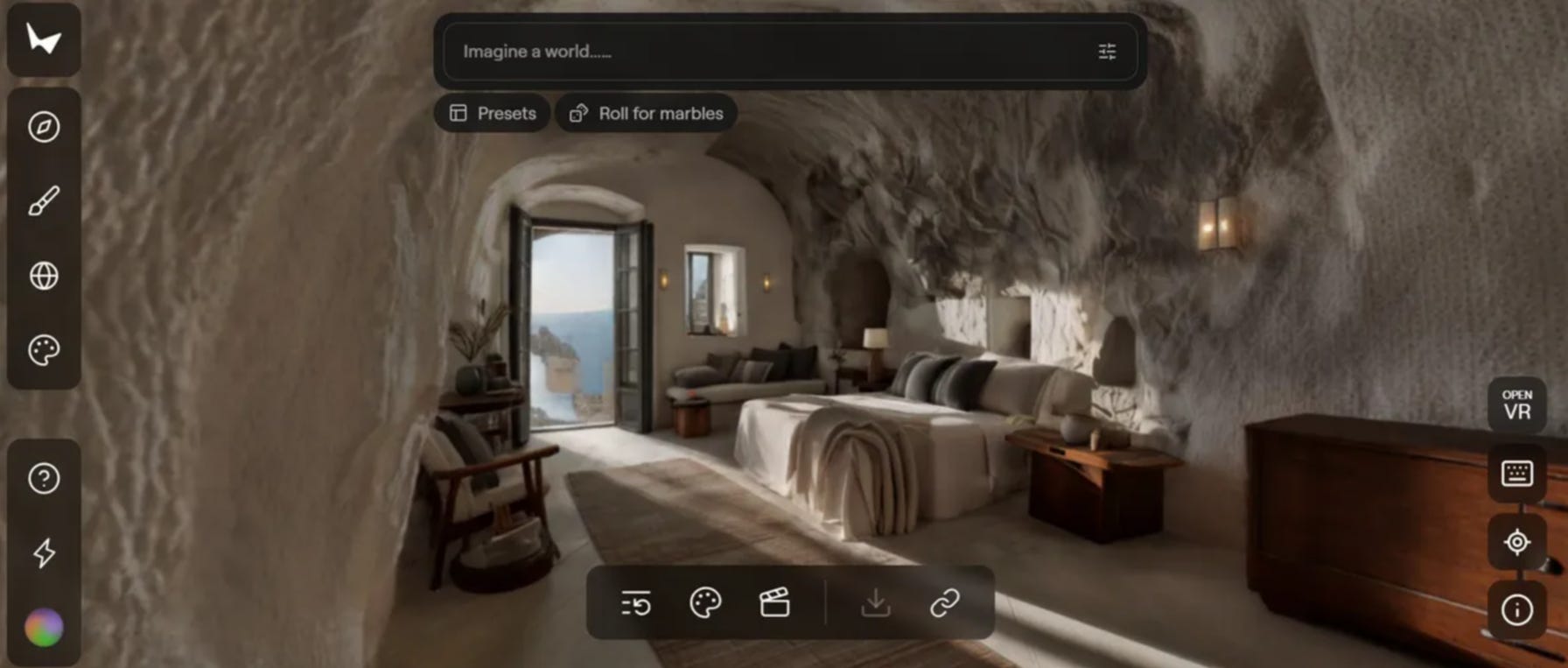
World Labs Marble UI
AI Worlds Alone Aren’t Enough
Here’s where I think the real opportunity lies for agencies. It’s not “AI worlds OR real-world capture” it’s both, woven together.
A generated world without grounding in reality is just a concept. A captured world without imagination is just documentation. The hybrid tech stack approach is where the these innovations start to look genuinely transformative and allow access to previously unfeasible levels of realism and speed.
Capture: From “Location Recce” to “World Scan”
The biggest mindset shift is this: wherever you would once take reference photos, you now have the option to bring back a usable and scoutable 3D world.
For an agency pipeline, that usually breaks into three routes:
Handheld device capture as standard practice
A producer visits the client site equipped with a modern smartphone running a scanning app, a 360° camera such as the Insta360 X5, or a specialised Gaussian splat camera like the XGRIDs PortalCam. Instead of 200 stills taken from, somewhere, they come back with one or two splat reconstructions of the space.
Drone and ground hybrid for expansive spaces
For larger exteriors; stadiums, heritage buildings, festival sites, you pair drone passes with walking passes. The result is a navigable splat that covers both the distance views and the human-scale detail.
AI-only conceptual worlds
When the space doesn’t exist yet (futuristic concepts, brand “imagination” worlds), you start from prompts, mood boards, or layout sketches and have a world model generate a splat-based environment. Viewable and editable directly in an immersive space or pre-visualisation of one.
The important bit: capture stops being a specialised, once-per-project event and starts becoming a cheap, process step. “We’re scanning. Then we’re scouting and blocking?”
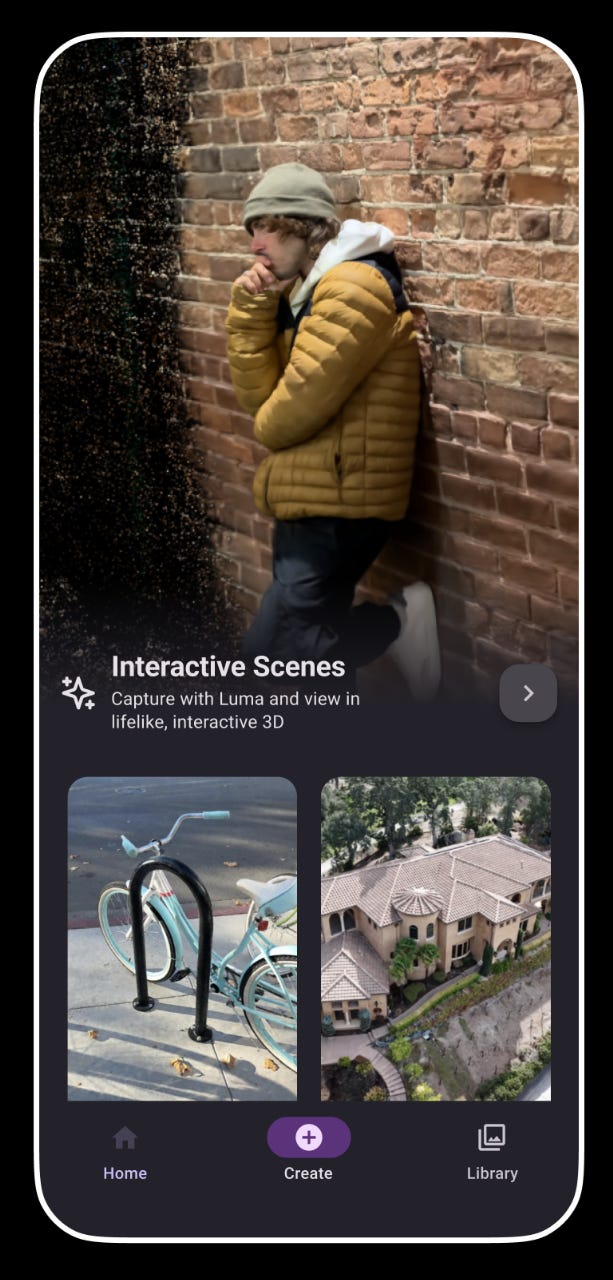
Luma AI’s capture app interface
The Convergence: Hybrid Workflows
The most powerful workflows I’ve seen emerging combine real-world splat capture for grounding and authenticity with AI world generation for extension, stylisation, and “what doesn’t exist yet.”
Think of it as using reality as your anchor and AI as your imagination engine.
Pattern 1: Extend the Real
Capture a client’s physical space: a showroom, a venue, a heritage site. Use a world model to extend beyond what you captured: adding rooms that don’t exist, vistas that weren’t accessible, planned future renovations or time travelling windows.
Pattern 2: Ground the Imagined
Start with an AI-generated world for a fantastical concept. Layer in splat captures of real textures, props, or architectural details to add tactile authenticity. This is particularly effective for brand worlds that need to feel both aspirational and credible.
Pattern 3: Restyle Reality
Capture a mundane location (a warehouse, an empty retail unit, a car park). Use restyling to transform it into multiple creative directions. Present the client with three or four “what this could become” options, all from the same base capture.
Pattern 4: Digital Twin to Design Sandbox
Capture an existing space as a digital twin. Use AI generation to test interventions: “What if we added a sculptural installation here? What if this wall were glass?”
Integration: Making It Actually Work
I guess this is where creative leadership actually earns its keep: turning a technical capability into something that fits how your teams already work. This is where R&D sprints and prioritised creative technology path finding become critical to keeping up with the other agencies investing in these rapidly maturing technologies and workflows.
The New “World Department”
In a newly discovered Gaussian-splat-enabled pipeline, you don’t necessarily need a dozen new hires to implement it; you need to rebadge what you already have:
Technical artists as world stewards
They pull splats into Digital Content Creation (DCC) software, Unreal, Unity, or the LED volume stack. They handle alignment, scale, exposure, and colour pipeline.
Environment artists as editors, not builders
Instead of modelling every surface, they crop, mask, and clean noisy splats. They remove unwanted signage or clutter. They layer in additional geometry, which can also be converted to splats (check out Olli Huttunen’s Camera Array Tool plugin for Blender), where interactivity, animation or precise collisions are needed.
Tooling glue
Small internally developed tools (or off-the-shelf plugins such as Luma AI, PostShot, Volinga or XScene for UE5) standardise import settings, LOD profiles per medium, and one-click “client preview” exports.
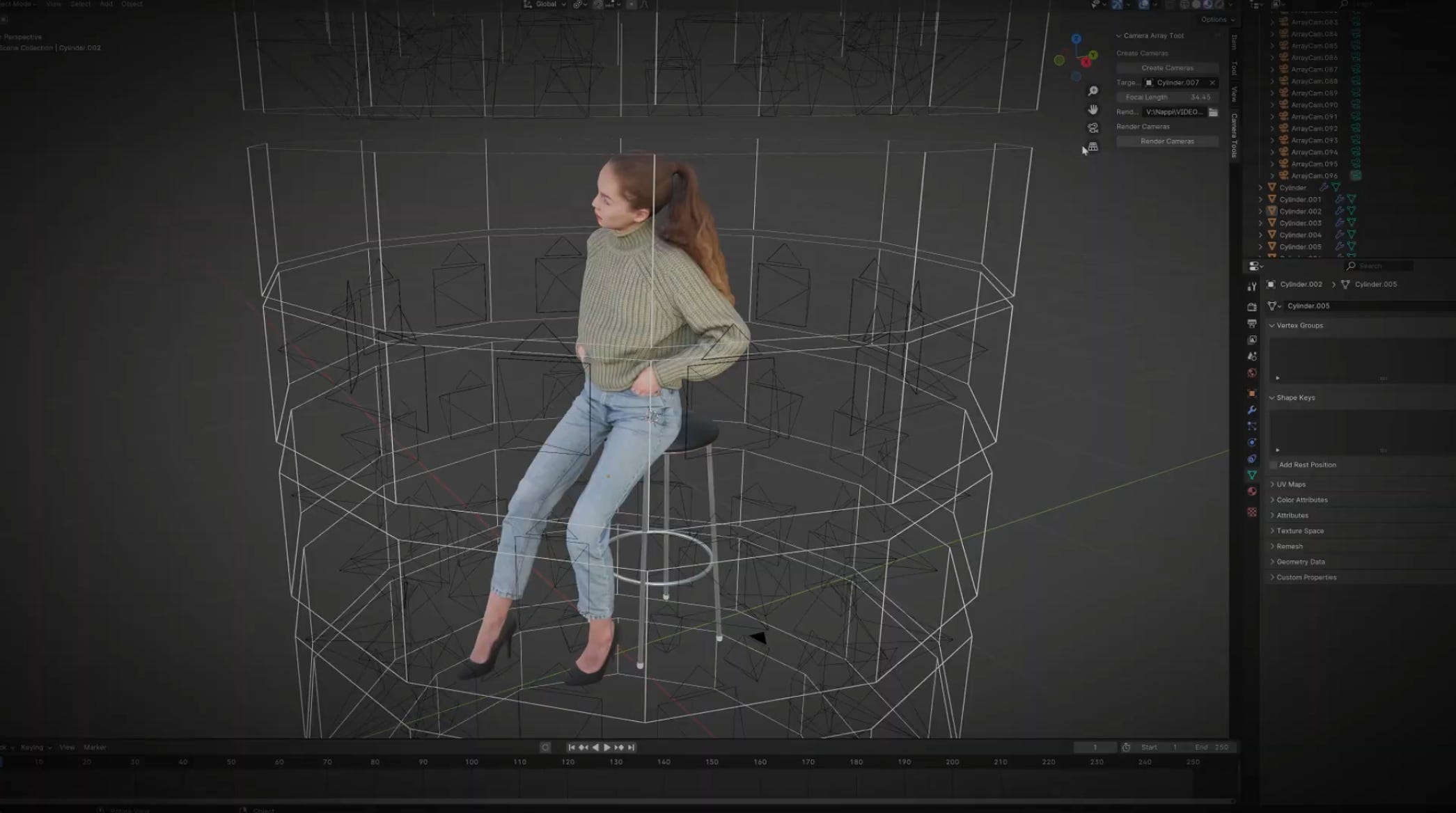
Olli Huttunen’s Camera Array Tool plugin for Blender
Use Cases: Where This Actually Shows Up
Virtual production that bends to the shoot
Instead of building a generic “city rooftop” in a DCC, your team captures three real rooftops, turns them into splats, and uses them as a menu of options. When the director asks, “What if this were sunset rather than night and from a different angle?” you’ve got room to restyle without going back into full rebuild mode.
Experiential installs that feel rooted in place
For a museum or brand space, you scan the actual building fabric; stairwells, basements, attics and then stylise it with world-model tools. Visitors walk through something that is both fantastical while also being spatially and environmentally accurate.
Rapid AR/VR prototyping
For pitch decks and early client buy-ins, you drop the splat into a lightweight viewer or headset and let stakeholders “walk” through it. No complex interaction yet; just enough presence to move the conversation from “I don’t quite see it” to “I get it; now what can we do in here?”
Pitch visualisation without the build
Instead of static mood boards or 2D animatics, you can now generate look concept drafts into navigable 3D worlds that stakeholders explore directly in-browser. Marble is already compatible with Vision Pro and Quest 3, meaning every generated world can be experienced in VR immediately in addition to exporting to other platforms.
This approach has precedent. Back in March 2023, Igloo Vision demonstrated a precursor by integrating Blockade Labs’ SkyBox AI 360 panorama generator into an immersive room, enabling real-time generative AI environments for client presentations. What’s changed is that today’s tools deliver true spatial depth and free navigation, not just wrapped panoramas.
Pragmatic Adoption Roadmap
If I were leading innovation at a creative agency today, I wouldn’t launch this with a sweeping top-down mandate. I’d take a more experimental approach, focusing on three key actions:
R&D sprint based on a real brief
Pick an upcoming shoot, exhibition, or activation where a splat-based world could replace a location day or complex 3D build. Measure what matters: time to first usable preview, revision costs, and final quality versus your usual approach.Once that world exists as a Gaussian, lightweight delivery opens up new possibilities. Platforms like SuperSplat, Luma Web Viewer, and Volinga Cloud Preview make these environments explorable directly in-browser, on mobile or in VR, no game engine required. Stakeholders can walk through full 3D spaces on consumer devices because Gaussian splats are orders of magnitude lighter than traditional mesh-based assets.
What that means is that splat-based workflows can not only be potentially faster to create with, they’re also dramatically easier to share outputs from. Instead of shipping heavy scene files, relying on Unreal Engine/Unity exports or pixel streaming, you send a secure web link that anyone on the client side can open. For lean creative teams, that convenience shortens feedback loops and reduces technical barriers during client reviews and ongoing iterations.
Set up a dedicated team
Set up a dedicated team to test and ultimately champion the world building tools that are right for your pipeline. That might mean experimenting with Marble’s hybrid 3D editor for concept-to-world workflows, Echo’s or Genie 3’s in-browser generation for rapid concept prototyping, Tripo v3.0’s ComfyUI integration for asset pipelines, or combining real-world Gaussian capture from Luma AI or Jawset’s Postshot with AI-generated extensions, whichever combination best fits your client, your team, your desired output and your technical infrastructure.Create a practical playbook for creatives
Keep it concise; one or two pages, not thirty. Explain when to request a “spatial scan” instead of standard reference photos, what kinds of ideas become cheaper or faster with splats, and how they influence lighting, blocking, and interactivity. Emphasise both the creative opportunities and the potential to save budget that can be reinvested elsewhere.
Ultimately, it’s about testing small and rapidly, learning fast, and scaling what works, rather than betting the farm on the latest shiny thing, though to know which way to go, you have to be in the running in the first place to have some insight.
Check Out Some of the Recent Developments:
World Labs Marble: A Multimodal World Model - Takes various inputs and creates a gaussian splat environment that can be explored or downloaded
SpAItial’s Echo Announcement - Text to real-time interactive gaussian splat viewing in a web browser
Volinga Plugin Pro for UE5 - Gaussian splat workflow plugin for UE5
Tripo v3.0 ComfyUI Integration - 2D Gen AI to 3D mesh
Meta SAM3D - Image segmentation to 3D mesh
On The Horizon
The next few years of immersive content development will be defined by this hybrid model: real-world capture grounding AI-generated worlds and AI-generated assets flowing into production pipelines that make commercial sense to include.
We’re moving from “worlds as massive undertakings” to “worlds as malleable starting points”. These tools are maturing at ever‑accelerating rates, so ignoring them, if your business depends on world‑building, would seem to be a risky strategy. Just as AI literacy is now essential, so too will Gaussian literacy become essential with anything 3D content shaped.
Gaussian splats and AI world builders just happen to be some of the first tools that make that kind of world-building feel attainable, not aspirational, for a lot more teams and individual creative technologists, just like me.
And that’s where the real opportunity lies.
Best,
Simon Graham
https://www.simongraham.tech/